Talk and guide
Designing for agents
What our design files actually say to the non-human readers now opening them, and what I learned from asking.

· 5 min read · First given at Manulife's AI design circle
A second user
For most of my career, UX meant designing what a person clicks, taps and sees. Now something else can do much of that for all of us. And the more I explored this space, the more I realized that the first agentic system most designers will design for won't be a product. It will be our own design file.
We've always designed for the person looking at the screen. Now we expand to consider an agent opening the very same files, and reading it in a completely different way.
A person
Reads the picture
Hierarchy, contrast, affordance, rhythm. People infer what a thing is from how it looks.
Failures are loudSomeone complains.
An agent
Reads the structure
Layer names, token names, component properties, states. It can only know what the file says.
Failures are silentIt acts on a wrong reading and ships.
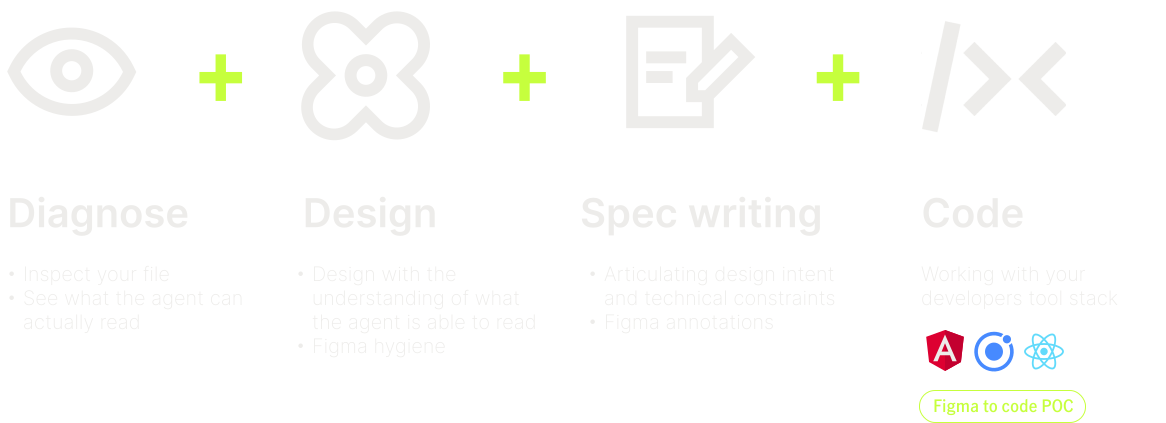
I learned this the long way, while getting a Figma-to-code pipeline working as a proof of concept. Nothing can be generated from a file an agent can't read, so before any code, the first job is finding out what it can. I pointed the same questions at our design system, then shared what I found with our AI design circle as a talk and a hands-on guide.
The experiment
The setup was deliberately small: a new Figma file with our design system libraries switched on, nothing else in it, and one prompt.
The first prompt
Create a promotional card component, 400px wide. Use the design system in this file, variables for colour, spacing and corner radius, and library styles for typography. Use auto layout.
The AI wasn't what was being tested. The file was.
It couldn't see the design system
The first reply was a surprise. As far as the agent could tell, there were no libraries enabled, so no components, styles or variables to use. The Figma agent has its own library permission, separate from the one designers switch on in Manage Libraries. Until it's granted, an entire design system can be invisible to it.
Once access was granted, the agent listed more than a thousand components and a few hundred styles. It found no variables at all.
Run one: The best-looking card was the most wrong
The first card looked fine, and every style in it was real. Look closer and the heading used a colour picked by its name rather than its purpose, the body copy used a Simplified Chinese text style to set English, icons were hidden inside the button, and padding and radius were raw numbers. Raw numbers meant our tokens weren't making it through at all.
Run two: Giving it a vocabulary
Nothing in the file offered the agent a vocabulary for meaning, so I built a temporary one, about a hundred semantic tokens for colour, spacing, radius and type. With the same prompt, the card changed completely. Values were bound to tokens like text/default and spacing/5 instead of hex codes and pixel counts.
It still wasn't right. Some of the meaning was invented, a green call to action, type that came back in Japanese and Khmer, and a button the agent drew for itself instead of using a real component.
So why was the vocabulary missing? Our design tokens were written in 2022, before Figma variables existed. The spec was thorough, with a few hundred tokens across three tiers, contrast ratios, usage notes and a changelog. It lived in documentation an agent had no way of reaching.
Global
color-coral
A name for a value
Says nothing about where it goes. Could mean anything.
Alias
color-buttons
A name for a meaning
The coral reserved for buttons. Narrowed to a family.
Component
bg-cta-primary
A name for a use
The background for primary call-to-action buttons. Narrowed to one job.
An agent needs the last kind of name to make the right choice. Our file only ever gave it the first.
Run three: The prompt that covered all bases
Everything the card got wrong told me what the prompt was missing. The final version bound every value to a semantic token, used no raw primitives, kept the type in English and used a real button from the library.



The working prompt
Create a promotional card component, 400px wide, using auto layout. Use the [semantic token collection] for colour, spacing, corner radius, font family, font size and line height. Use only [semantic tokens]. Do not use [primitive tokens] directly, and do not use library text styles. Use a [real button component] from the connected libraries for the CTA. Leave the image area empty. Do not generate imagery.
Each instruction closes a specific gap found along the way:
- Name the source and the kind of asset. Agents tend to stop at the first thing they find. Listing the collection and asset types makes them look through everything.
- Ask for the semantic layer only, so the agent can't reach past meaning into the raw values underneath.
- Name the component to use. It keeps the agent from drawing its own.
- Say what not to do. Left alone, an agent invents content.
What we're actually designing
Stepping back, the experiment showed five layers that decide whether an agent understands a design file. Designers can act on some of them today. The rest need the design system and development teams.
How we ask: actionable today
Access
The agent has its own library permission. Ask it, once, in every file, what it can read.
Vocabulary
Documented tokens that aren't in the file as variables can only be guessed at. Check that tokens exist in the file and match what's defined in the codebase.
Asking
Be specific. The agent stops at the first thing it finds, so name the collection and the kind of asset.
What the system is: with design system and development teams
Naming
A library button published with no properties and no description. Twelve runs found it twelve times. That's a library-level fix.
Meaning
An agent can bind a real token for the wrong purpose, like a success green on a promotional tag. Only designers and developers will catch that.
Try it on your own file
The session ended with everyone opening something they had made, opening the Figma agent and pasting two prompts. The first checks access.
Check what the agent can see
Which design system libraries can you access in this file? List them, and tell me how many components, styles and variables you can see in each. If you have none enabled, open the library selector so I can add them.
The second is the working prompt above, with your own collection and component names in the brackets. What comes back tells you how legible your file is.
What an agent gets most wrong is what our components are called and what our tokens mean. Both are things designers can improve, by giving it better context.